Use your iPhone as a local media remote for desktop playback
Control desktop playback, system volume, and view track metadata from across the room using RemoTune. Created by Olla AI for iPhone, the app pairs with a companion desktop client to deliver low-latency media control. It shows track titles, artists, and artwork while letting you switch between up to five remembered computers. The target user is anyone who plays music on a PC or Mac and wants simple, private remote control on the local network.
How the app handles remote playback and metadata
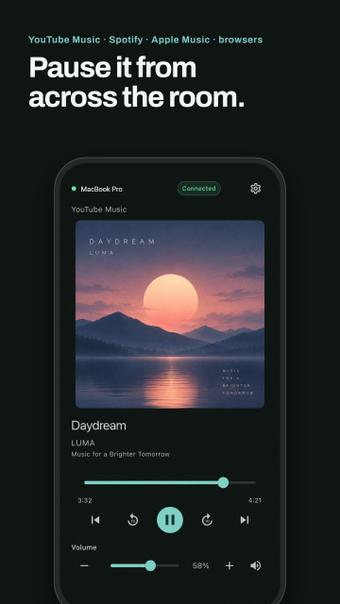
RemoTune operates as a media controller that issues play, pause, skip, and seek commands to a paired computer. The desktop companion integrates with system media controls so the app can control players such as Spotify, Apple Music, and browsers that output audio. Track titles, artists, and album artwork appear on the phone in real time, giving a visual confirmation of what the desktop is playing.
Does it affect system performance during use?
The connection is local and designed for low latency, so command round-trip time is short when both devices share the same Wi-Fi or Ethernet network. The app requires a running companion on the computer, and no cloud relay is involved, which keeps network hops low. The source notes low-latency control but does not provide CPU or memory figures for the companion application.
Is control secure and private on a home network?
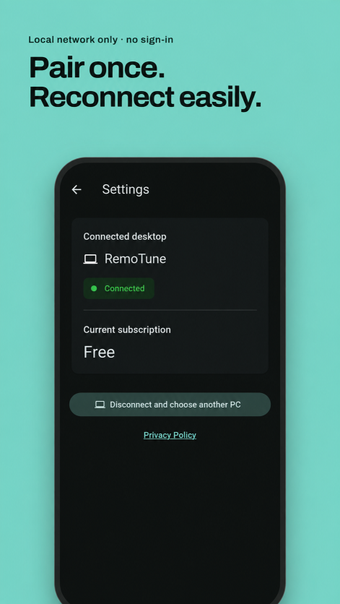
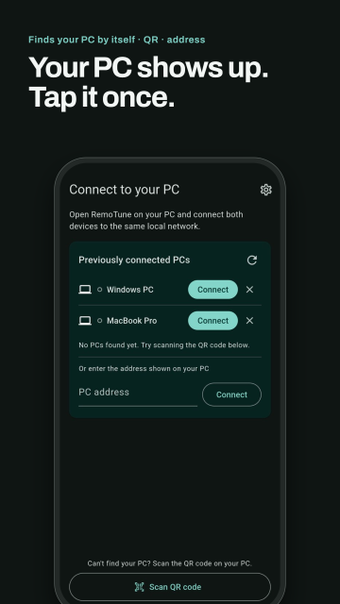
Privacy is built into the pairing model: pairing uses QR code scanning or manual IP entry, and control commands remain within the local network rather than passing through external servers. That design means pairing identifiers and control traffic do not get sent to the developer's servers, which reduces exposure compared with cloud-mediated remotes.
How easy is setup and day-to-day use for non-technical users?
Setup is simplified by automatic discovery and remembered devices. The app finds nearby computers on the same network and can remember up to five machines for quick switching. A companion desktop client is required, so initial setup involves installing and running that helper on the target PC or Mac before the phone can control playback.
Solid local-media remote for casual desktop listeners, with one trade-off
RemoTune suits users who want private, low-latency control of desktop audio from an iPhone without cloud accounts. It pairs easily, shows track metadata, and stores multiple computers for quick switching. The single notable trade-off is the requirement to run a companion app on each target computer, which adds an initial installation step before remote control is available.